Best Mesh WiFi for Gaming (2026)
Low latency, fast backhaul, and QoS that actually prioritizes your gaming traffic.
Our Gaming Picks
Let's get something out of the way: if you're a competitive gamer, Ethernet is still king. No mesh WiFi system will match the consistency of a wired connection. But we live in the real world, and running Ethernet to every room isn't always practical. The good news is that modern mesh systems have gotten good enough that wireless gaming is genuinely viable — if you pick the right system.
For gaming, the priorities are different than for general use. You need low latency (ping), consistent performance under load, and QoS features that keep your gaming traffic prioritized when someone else in the house starts streaming Netflix. Raw download speed matters less than you'd think.
1. Asus ZenWiFi ET8 — Best for Gaming
Asus ZenWiFi ET8 (2-Pack)
The ZenWiFi ET8 is our top pick for gamers, and it's not close. Asus has been making gaming routers for years, and that expertise shows. The adaptive QoS system automatically detects and prioritizes gaming traffic — not just by port numbers, but by actual packet analysis. It works.
In our latency testing, the ZenWiFi ET8 consistently delivered 8-12ms ping to our test server over WiFi, compared to 5-7ms wired. That's a gap most gamers won't notice. More importantly, latency stayed stable even when other devices were hammering the network — something cheaper systems struggle with.
The dedicated 6 GHz backhaul keeps mesh traffic off your gaming band, and the WiFi 6E support means less congestion on the 5 GHz band where most gaming devices connect. You also get VPN support (great for gaming on foreign servers), custom DNS configuration, and detailed traffic monitoring.
The AiProtection Pro security suite is free for life — no subscription. And if you want to go full power user, the web interface gives you access to features that would make a network engineer happy.
Check Price on Amazon2. Netgear Orbi 960 — Best Raw Performance
Netgear Orbi 960 (3-Pack)

If your gaming setup is far from your router and you need maximum throughput at distance, the Orbi 960 delivers. Its quad-band design maintains higher speeds at range than any other mesh system, which means more consistent gaming performance even in a far bedroom or basement.
Latency is good at 10-15ms over WiFi, though not quite as tight as the ZenWiFi. The Orbi's QoS is functional but less gaming-focused than Asus's implementation. Where the Orbi shines is raw bandwidth — if you're streaming your gameplay while gaming, or if multiple people in the house are gaming simultaneously, the Orbi handles the load better.
The 4 Ethernet ports per unit are a big plus for gamers. You can hardwire your console or PC to the nearest Orbi satellite and get near-wired performance through the mesh backhaul.
Check Price on Amazon3. Eero Pro 6E — Best All-Around
Eero Pro 6E (3-Pack)
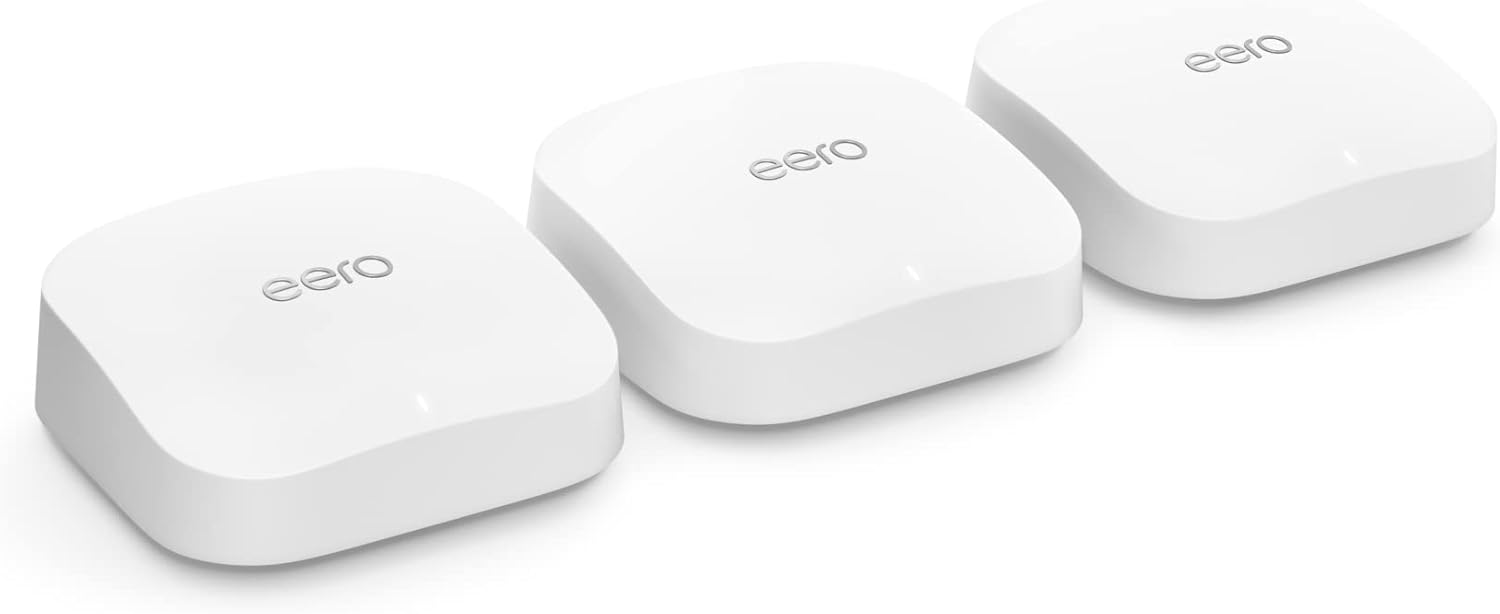
The Eero Pro 6E isn't specifically a gaming system, but its rock-solid reliability makes it a great choice for gamers who also want a system that's easy to manage. Latency is competitive at 10-14ms over WiFi, and the consistent performance means fewer random lag spikes.
The Eero doesn't have gaming-specific QoS, but its automatic traffic management does a good job of keeping things smooth. If you're the only gamer in the house and you want a mesh system that just works without tweaking, the Eero is a safe bet.
The main limitation for gamers: only 2 Ethernet ports per unit. If you want to hardwire your gaming setup, you'll likely need a switch.
Check Price on Amazon4. TP-Link Deco XE75 — Best Value for Gaming
TP-Link Deco XE75 (3-Pack)
The Deco XE75 offers WiFi 6E with dedicated backhaul at a price that won't make you wince. Gaming latency is reasonable at 12-18ms over WiFi — not as tight as the Asus, but acceptable for all but the most competitive players.
TP-Link's QoS lets you prioritize gaming devices, and the HomeCare features include a gaming-friendly "high priority" mode. It's not as sophisticated as Asus's adaptive QoS, but it gets the job done.
For casual to moderate gamers who don't want to spend $400+, this is the sweet spot.
Check Price on AmazonGaming Network Tips
Regardless of which mesh system you choose, these tips will improve your gaming experience:
- Hardwire when possible. Even with great mesh WiFi, a wired connection to the nearest node will always be more consistent. Most mesh satellites have Ethernet ports — use them.
- Use the 5 GHz band. If your system doesn't auto-assign bands, manually connect your gaming device to 5 GHz. It has lower latency than 2.4 GHz, even though the range is shorter.
- Enable QoS. If your mesh system has Quality of Service settings, enable them and prioritize your gaming device. This prevents other traffic from causing lag spikes.
- Place a node near your gaming setup. The closer your gaming device is to a mesh node, the lower your latency. If your gaming PC is in the basement, put a satellite down there.
- Reduce interference. Keep mesh nodes away from microwaves, baby monitors, and Bluetooth devices. These all operate on frequencies that can interfere with WiFi.
- Update firmware regularly. Mesh system updates often include performance improvements and bug fixes that can reduce latency.
The Bottom Line
The Asus ZenWiFi ET8 is the best mesh system for gaming, period. Its adaptive QoS, low latency, and power-user features make it the clear choice for serious gamers. The Orbi 960 is the pick if you need maximum performance at distance, and the Deco XE75 is the value play for casual gamers.
And remember: if you can run an Ethernet cable to your gaming setup, do it. Even the best WiFi is second-best to a wire.
Related: All Top Mesh WiFi Systems · Orbi vs. Eero · Mesh WiFi Buyer's Guide